How to properly capture an image of your ticket
- Flat ticket
- Even light
- All four edges
- Sharp text
Keep the ticket number, offence/section, dates, fine and court details readable.
- Flatten it. Unfold the ticket on a flat, plain surface. Keep fingers and objects off the text.
- Light it evenly. Use bright light and move away from glare or shadows.
- Show the whole ticket. Hold your phone directly above it with all four edges inside the photo.
- Make the writing sharp. Tap the text to focus, hold still, then check the small print.
Leave a little space around every edge, as shown below. Open either example to see the details at full size.
Yellow paper ticket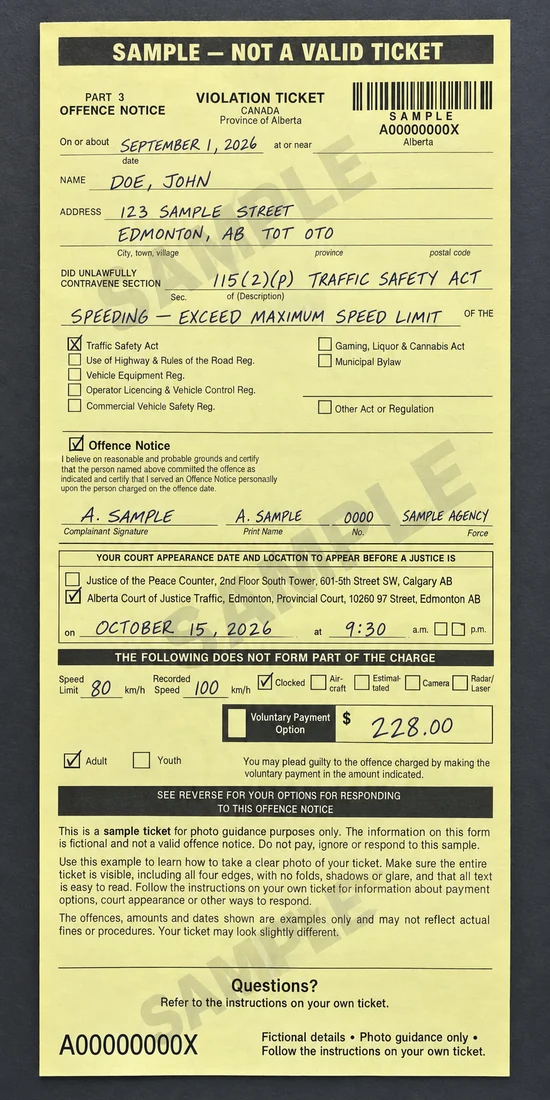 View larger (opens in a new tab)
The ticket number is near the top right. Include the offence, date and court box, and the fine near the bottom.
White printed ticket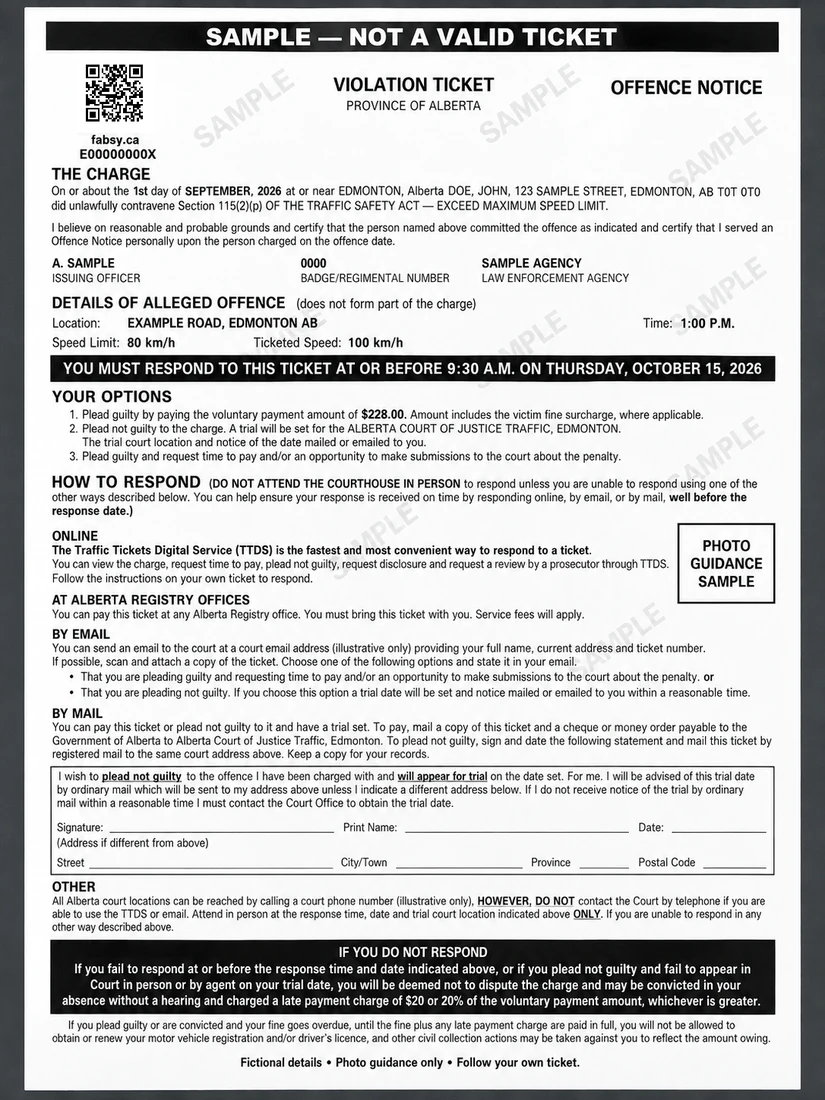 View larger (opens in a new tab)
The ticket number is near the top left. Include the charge, speed details, response date and fine under Your options.
Fictional examples for photo guidance. Your ticket may look different; follow the instructions and dates on your own ticket.
If the original printing is faint or damaged, send the clearest photo you can.
Images are scanned to help fill the form. PDFs are attached for manual review and are not sent to OCR.